
PLaMo Chat
PLaMo Chat provided by PFN™ lets you talk with PLaMo in a web browser. With Web search and Deep Research, it looks up current information and cites its sources.
Getting started
- Open PLaMo Chat and log in with your email address. If you are new, you are registered as you log in.
- Logging in requires agreeing to the Terms of Use and the Privacy Policy.
- Your account is shared with the PLaMo API. Members of a paid-plan tenant use the paid plan; everyone else uses the Free plan, which is free of charge.
Screen and features
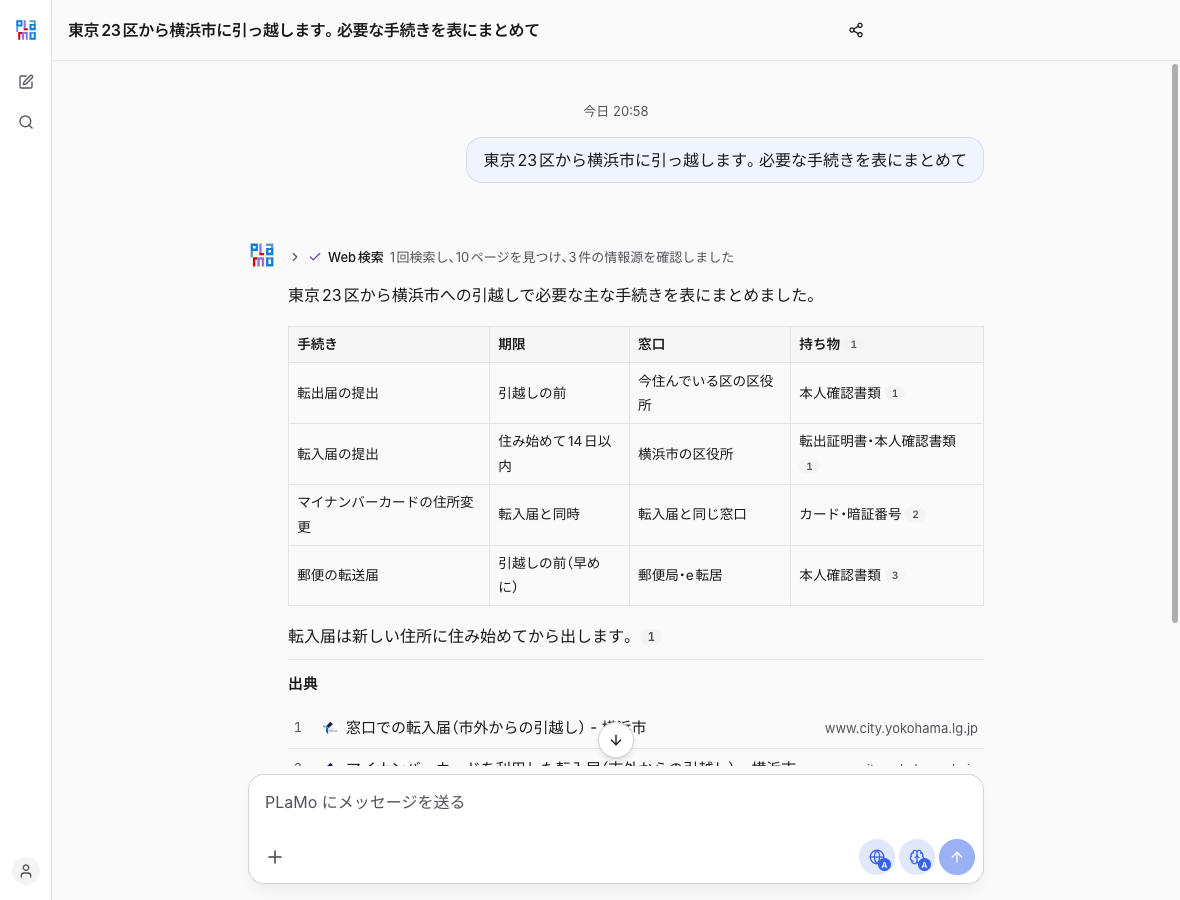
- Threads
- Start a new thread or search past threads from the sidebar on the left.
- Rename, share or delete a thread from its menu.
- Web search
- Switch it with the Web search button in the input box. "Auto" searches only when needed, "On" searches the web before every answer, and "Off" never searches.
- Answers based on a search cite their sources.
- Thinking
- "Auto" thinks before answering only for questions with calculations or many conditions. You can also choose "On" or "Off".
- Deep Research
- Choose it from "+" in the input box. It sets out what to look into for your question, compares many web pages, and writes a report in chapters with sources.
- It may ask about your preferences or situation before it starts.
- You can download the report as Markdown or export it to PDF.
- Attachments and voice input
- Attach files from "+" in the input box. Use the microphone button for voice input.
- Sharing
- Create a share link for a thread to let logged-in users who have the link read the conversation. You can revoke the link at any time.
- Settings
- From the menu at the bottom left, change the send key (Enter / ⌘ or Ctrl + Enter) and the theme. You can also go to usage and API keys in the API console from there.
Limits and data handling
- Your use of PLaMo Chat counts toward the usage limits and rate limits of your PLaMo API plan.
- On the Free plan, in addition to regular conversations, you can run up to 60 web searches per day and 200 per month (during the campaign through November 30, 2026). Days and months start at 00:00 UTC.
- Web searches run by Deep Research count toward the same limits, so Deep Research returns an error when not enough searches remain.
- How your input is handled depends on the plan and the feature. See Pricing and Data Handling.